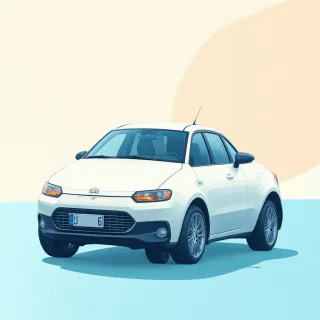
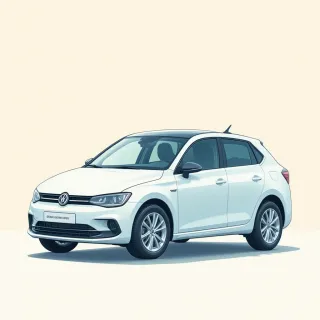
When you list a donated vehicle, the details matter—but a static printout gets stale the moment that car sells or a new one arrives. A donate car QR code on a flyer, windshield sticker, or auction tag links to a living page you control. Instead of reprinting materials every time your inventory changes, you just update the same QR code’s destination from the QRDrobe app. A donor walking through the lot scans a code with their phone and instantly sees the car’s current story: photos, specs, mileage, and a way to reach you. That one printed code keeps working for the next vehicle, too.
Think of the Vehicle Info template as a mini fundraising website for each car. The Heading and Subheading give you space to catch attention—something like “Runs Great, Ready to Fund Meals” or “Your Donation Drives Hope.” The Description field is where you paint the picture: mention the car’s history, how it was used to deliver supplies, or what the donation proceeds will support. Be specific: “This 2012 Honda Civic logged 112,000 miles as our meal-delivery vehicle; selling it funds 800 hot dinners.” Pair that with sharp Vehicle Photos—show the interior, the odometer, and any recent repair receipts—so a donor sees the value instantly.
Filling in the rest of the fields makes the listing feel trustworthy and complete. Use Mileage (mi/km) to answer the first question any buyer asks. Body Style, Engine, Fuel Type, and Transmission help match the right donor to the right car—a two-door coupe might appeal to a young volunteer, while a sturdy SUV could attract a family. The VIN is especially important for charity donors because they can run their own vehicle history check before committing. For contact, plug in a Phone number or Email where your team actually monitors messages, and add your Address if donors should see the car in person. The Website field can point straight to your donation page or campaign, turning a curious scanner into a contributor in one tap.
The real magic happens when you update the page later. Say the vehicle sells, and you’ve received a similar minivan donation. You don’t print a new QR code. You just swap the photos, adjust the mileage, rewrite the Description, and publish. Everyone who scans the same code from the old flyer now sees the new van. This persistence means your print materials stay useful for months, and the QR code becomes an evergreen tool for your car-donation program. Pro tip: always set a warm, inviting photo as the first image—cars in front of your charity’s building or with a volunteer smiling reinforce the human connection.
A common mistake is skimping on the Subheading or leaving the Description too brief. A generic “donate car” code doesn’t tell the story; a specific one does. Use the Subheading to spotlight what’s unique: “One owner, garage-kept, all proceeds go to literacy programs.” Also, remember that the Vehicle Info page is the handshake between your nonprofit and a potential donor. If the Phone or Email fields are blank, you’ll lose trust. Keep them current. Finally, because the QR code is dynamic, QRDrobe tracks every scan—you’ll see how many people viewed each car, which can help you decide where to place codes or when to refresh your listing. A donate car QR code doesn’t just share information; it turns a stationary vehicle into an active, updatable fundraising page that works as hard as you do.