Create Static QR Codes in Seconds - Free & No Signup Required

Generate 11+ types of QR codes for WiFi, contact sharing, payments, and more. No expiration, no scan limits, forever free.

Input

Image Preview

Want a QR code you can update anytime — without reprinting?


Same code. New content. Real-time insights.

Free dynamic QR code

Make your own in minutes

Create a mobile page, update it anytime without reprinting, and track every scan.

Create your free QR code →

No credit card needed • Set up in under 5 minutes

Create Professional Barcodes in Seconds – Free & No Signup

Input

Enter letters, numbers, or symbols for the retail product barcode.

Select barcode color

Note: If your input is too long, it might not fit into the output container. If it doesn't fit into the screen, please just download the image in the desired format.

Why Choose Our Free QR Code Generator?

QRDrobe is your all-in-one platform for creating professional codes instantly. We are the only truly free generator that includes premium branding features for QR codes at no cost and extends that same value to barcode creation. No sign-up, no subscriptions, and no hidden fees.


Premium Branding & Professional Output—100% Free.
Others charge to customize. With QRDrobe, embedding your logo in QR codes is a default, free feature. For barcodes, generate industry-standard, print-ready files. Fully customize QR colors and styles, and create scannable assets that strengthen your brand and operations.


Truly Free. No Tricks.
Generate unlimited static QR codes and standard barcodes (like UPC, EAN, Code 128) forever. No subscriptions, no hidden fees, and absolutely no requirement to create an account. Your codes have no generation or scan limits.


Unmatched Ease & Speed.
Skip the complex software. Our intuitive interface lets you create a customized, scannable QR code for WiFi, contact sharing, and more—or generate a precise barcode for inventory and retail—in under 30 seconds.


Built for Reliability & Real-World Use.
Our static QR codes are permanent links. Our barcodes meet industry specifications. Both are designed to work flawlessly on digital screens and physical print materials, ensuring seamless performance for your audience and your business.


Stop paying for basic features.
Generate, customize, and download your professional QR codes and barcodes for free.


For more specialized information and industry use-cases, explore our comprehensive guide to Barcode Technology and Applications.

How Our QR Codes Are Used Across Industries

QR Drobe

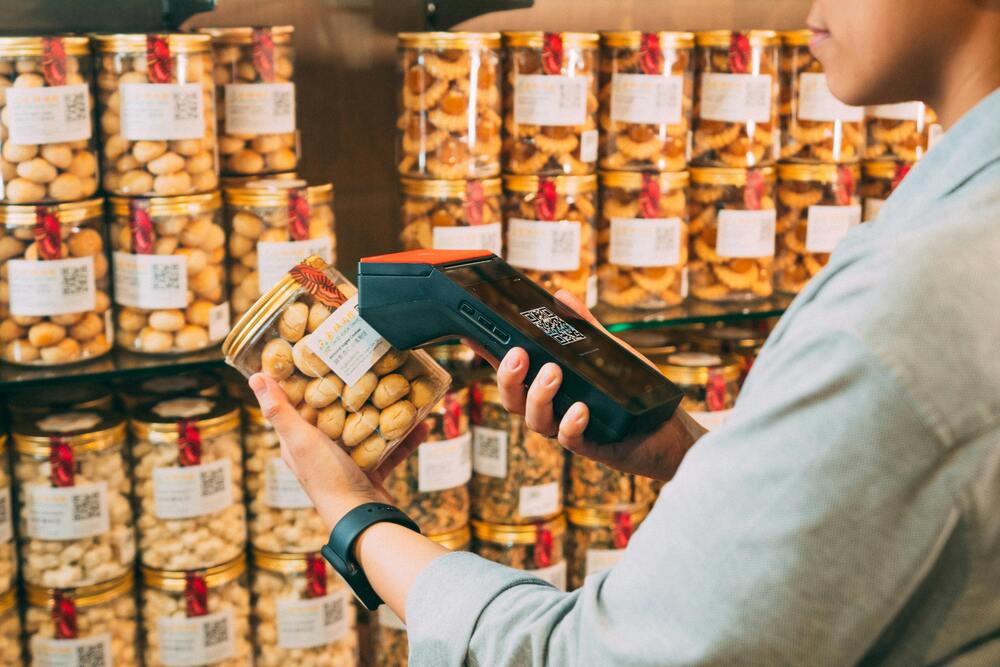
Product labels with QR codes for detailed information

qrdrobe qr codes for restaurants

Menu QR codes for contactless ordering

qrdrobe qr codes for tickets

Ticket QR codes for quick entry

qrdrobe qr codes for business card

vCard QR codes for instant contact sharing

qrdrobe qr codes for school

QR codes on textbooks for additional resources

QR Codes for Every Industry


QR codes make it easy to connect printed materials with digital content. Whether you're promoting a business, sharing information, or improving customer experience, our free QR code generator helps you create permanent static QR codes in seconds.


Restaurants & Cafés – Digital menus, WiFi access, online ordering, and payments.


Events & Marketing – Event registration, business cards, flyers, posters, and lead generation.


Nonprofits – Donation pages, campaigns, and volunteer information.


Real Estate – Property listings, maps, virtual tours, and agent contact details.


And more...

Frequently Asked Questions About QR Codes

A QR code (Quick Response code) is a two-dimensional barcode that stores information in a pattern of black squares on a white background. It works by encoding data such as URLs, text, or contact details that can be quickly read and decoded by a smartphone camera or QR scanner app. When scanned, the code instantly directs the user to the embedded information, bridging the physical and digital worlds seamlessly.

Create QR Codes in 5 Simple Steps

  1. Step 1

    Choose Your QR Type

    Select from our 11 static QR code templates: WiFi, Email, SMS, Contact (vCard), Social Media, App Store, Phone, Maps, Donation, Meeting, or Plain Text.

  2. Step 2

    Fill in Your Information

    Enter the required details for your chosen QR type. For WiFi, provide network name and password; for Contact, add name, phone, and email; for URL, paste your website link.

  3. Step 3

    Customize Your Design (Optional)

    Personalize your QR code with custom colors, add your logo or image, and adjust the design to match your brand while ensuring it remains scannable.

  4. Step 4

    Generate and Preview

    Click the "Generate" button to create your QR code instantly. Use our live preview to test scannability before downloading.

  5. Step 5

    Download and Use

    Download your QR code in high-resolution PNG, SVG, or JPEG format. Print it on materials, use it digitally, or share it directly—your static QR code works forever without expiration.