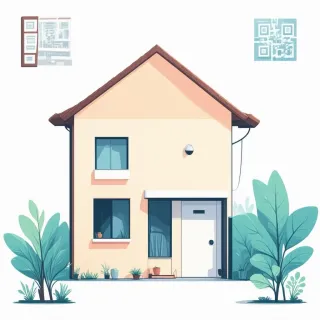
Imagine taping a crisp new sign to your lawn stake, the QR code centered and bold, then never needing to print another one—even if you slash the price, add an open house, or swap out a dozen photos. That’s the shift a dynamic fsbo qr code brings. Unlike a static code locked to whatever you typed in once, a dynamic one points to an editable landing page. The printed code stays exactly the same, but everything behind it can change in minutes, right from your phone.
When a buyer scans your yard sign, they’re not left guessing. The QRDrobe Real Estate template lets you load Property Photos into a scrollable gallery so they can swipe through the kitchen, the backyard, the curb appeal before ever calling you. The required Heading and Description give you space to tell the story: maybe “Charming 3-Bed Cape with New Roof” up top, and then a warm walk-through below about morning light in the living room. Alongside those, honest specs—Bedrooms, Bathrooms, Basement, Parking, Area (sq ft)—lay out exactly what they’re getting. The Address, Phone, Email, and even a Website link if you’ve created a dedicated property page, all sit right there, so a single tap can launch their map, a call, or a message. No more fumbling for a pen or squinting at small print on a flier.
The real magic shows up when something shifts. Say you finally pressure-wash the deck and snap sunny new shots—open the app, drag the fresh images into Property Photos, and every future scan of that same code sees the update. A price adjustment? Edit the Subheading to read “Reduced to $289K” or weave the new number into the Description. Got a freak hailstorm and need to note a repaired roof? You can clarify it in the Description field instantly, so no one wastes time worrying. Because you’re not reprinting, you can tweak based on feedback, too—if people keep asking about the furnace age, add it to the description with a quick edit. The QR code on your sign, already mounted and weatherproof, never needs replacement.
A common misstep with any fsbo qr code is treating it like a digital postcard—tossing up two blurry photos and a bare phone number. Instead, treat every field as a chance to answer the questions that would otherwise tie up your Saturday. Use Property Type and Area (sq ft) to anchor the listing; fill Parking with “detached 2-car garage” or “street permit required” so commuters know upfront. The Heading grabs attention on scan, so make it specific, not just “House for Sale.” And because the Description is required, you’ve got a natural spot to highlight what you love, not just list features: mention the neighbor’s plum tree that overhangs the fence or how quiet the cul-de-sac gets after 7pm. These human touches stick, and you can refine them anytime without touching the sign.
What you’re really gaining is control without the constant cost. You’re not scheduling a reprint every time you mow the lawn and want to show it off; you’re not hand-writing a sticker for “price reduced.” The same dynamic code works through every season, from the first “Coming Soon” listing through the final “Under Contract” update. Set the Website field to your Zillow or a simple Google doc with offer instructions, and you’ve tied everything together. It’s your yard sign, working harder, staying fresh, while you focus on the showing and the sale—not the printer.