Real Estate QR Code: Dynamic Property Cards That Never Go Outdated

A real estate QR code lets you print a single code on your listing signs and flyers, then update the content behind it whenever you want. No more broken links or reprinting. You can change photos, descriptions, contact info, and even track how many people scan — all from your phone.

Free dynamic QR code

Make your own in minutes

Create a mobile page, update it anytime without reprinting, and track every scan.

Create your free QR code →

No credit card needed • Set up in under 5 minutes

How a Real Estate QR Code Turns Your Listing Into a Living Document

Imagine you’re a real estate agent who’s just printed 500 flyers with a QR code pointing to a property listing. The day after they go out, the price drops, or you add new photos. With a static QR code, that printed link is dead — you’re stuck with outdated info or you have to reprint everything. That’s where a real estate QR code that’s dynamic changes the game. Instead of linking to a fixed page, your QR code points to a living digital card inside the QRDrobe app — the “Real Estate” template. You can edit the content anytime, and the code still works. No reprinting. No waste. Just a listing that stays fresh.

This template gives you a set of fields that mirror what buyers actually want to see. You’ve got an imageGallery to show off property photos — upload new shots as you stage the home or after renovations. The required Heading is where you put the property’s name or address (like “123 Maple St.”), and the optional Subheading can be a tagline like “Charming 3-Bed with Lake View.” Then there are dedicated text fields for Property Type, Bedrooms, Bathrooms, Basement, Parking, and Area (sq ft) — all of which you can update instantly if the listing changes. For example, if a basement is finished after the initial tour, just edit the Basement field in the app, and every scan of your QR code shows the updated info.

Beyond the property specs, you’ve got contact fields — Phone, Email, Address, and Website — plus a required Description textarea for your full listing pitch. This is where you can get creative: the Description isn’t just for the standard MLS blurb. You can use it to highlight open house dates, special incentives, or even a personal note from the seller. And because it’s dynamic, you can change the Description for different seasons or buyer segments — such as emphasizing “great school district” in spring or “cozy fireplace” in winter — all without touching the printed QR code on your sign or flyer.

Who benefits most from this? Real estate agents who want to reduce printing costs and avoid the headache of outdated marketing. Property managers can use one QR code for a rental that stays accurate as tenants move in and out — just update the property type, bedrooms, and photos. Home sellers can place a dynamic QR code on a for-sale-by-owner sign and update the listing themselves without calling a designer. Even landlords with multiple units can create separate QR codes for each property and manage them all from one dashboard. The key is that the QR code itself becomes a reusable asset — you print it once, and it works forever.

When should you use this template? Anytime you’re putting a QR code on a physical item that might outlast the listing details. Common examples: yard signs, flyers, brochures, business cards, open house handouts, and even magnets on fridge giveaways. A common mistake is treating the QR code like a one-time link — instead, think of it as a live channel. For instance, if a property goes under contract, you can change the Heading to “Sold! See other listings” and redirect the Description to a portfolio page. Another tip: always test your QR code after edits to ensure it loads properly, and consider adding a call-to-action in the Description like “Text us for a private showing.”

Finally, dynamic QR codes give you data that static ones can’t — the QRDrobe app tracks every scan, so you’ll know how many people viewed your listing, and when. That insight helps you decide whether to adjust your marketing or double down on a hot property. The “Real Estate” template is free to start, and you sign up right in the app. So next time you’re about to print a batch of flyers, ask yourself: would you rather have a one-time static link or a living document that grows with the property? The answer makes the choice clear.
How to Create Your First Real Estate QR Code in 5 Minutes

  1. Step 1

    Sign up for QRDrobe

    Head to QRDrobe and create your free account. No credit card needed—just your email and a few seconds to get started.

  2. Step 2

    Choose the Real Estate template

    Inside the app, pick the 'Real Estate' Dynamic QR template from the library. This template gives you fields like Property Photos, Heading, Description, and Address—all ready for your first listing.

  3. Step 3

    Fill in your property details

    Add your best images in the 'Property Photos' [imageGallery] field, then write a catchy 'Heading' [text] and a compelling 'Description' [textarea]. Complete optional fields like 'Bedrooms' [text], 'Bathrooms' [text], 'Area (sq ft)' [text], and 'Address' [text] to give buyers everything they need.

  4. Step 4

    Add contact info and a link

    Enter your 'Phone' [text], 'Email' [email], and 'Website' [url] so prospects can reach you or tour the listing online. These make your QR card a complete digital business card for the property.

  5. Step 5

    Generate your dynamic QR code

    Click generate—QRDrobe creates a dynamic QR code linked to your editable landing page. Because it's dynamic, you can update any field later (like swapping photos or changing the price) without reprinting the code.

  6. Step 6

    Test and print

    Scan the QR with your phone to verify everything looks perfect—images load, links work, and your info is clear. Then download the code and print it on flyers, signs, or yard posts. It's free to start, and every scan is tracked so you see how many people engage.

  7. Step 7

    Update anytime

    Back in your QRDrobe dashboard, edit any field—like switching 'Property Type' [text] or adding more 'Property Photos' [imageGallery]—and the printed QR code instantly reflects the changes. No reprinting, no hassle.

5 Smart Ways to Use Your Real Estate QR Card Beyond 'Open House'

Your QR code isn't just for open house signs. Because it's dynamic, you can point it to your listing card, then edit the card's content without reprinting. Here are four clever ways to put that to work — each one repurposes a template field for a specific use.

See Inside Signs

See Inside Signs

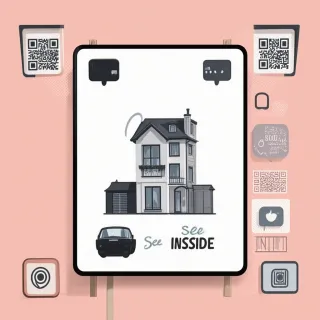
Print your QR code on for-sale signs with a simple 'See Inside' call-to-action. When someone scans it, the Property Photos gallery shows a room-by-room tour, and the Description field details the home's best features. No need to print flyers — just update the photos if you stage the property differently.

Business Card Brochure

Business Card Brochure

Add the QR code to your business card. When scanned, the Address field shows the property location, and the Website link sends buyers to a virtual tour or mortgage calculator. You can swap the listing anytime — your card stays current.

Email Signature Preview

Email Signature Preview

Embed the QR code in your email signature. Recipients scan it and land on your card's Property Photos and Description — a quick, visual preview without attachments. Change the Heading and Subheading for each new listing, and your signature stays fresh.

Door Hanger Alerts

Door Hanger Alerts

Hang a QR code on rental property doors with a 'Scan for Details' note. The Phone and Email fields let prospects contact you directly, while Bedrooms, Bathrooms, and Parking answer their first questions. Update the fields when a unit becomes available — no reprinting needed.

Why Real Estate QR Codes Are Smarter Than Static Codes

No more reprinting

No more reprinting

When you print a static QR code on a flyer or sign, any price change, open house date, or sold status means tossing the whole batch. With QRDrobe's dynamic template, you just log in and edit the Heading, Description, or Property Photos — the printed QR code still works. That saves time, paper, and hassle.

Track who scans

Track who scans

You get real-time scan data for each code, so you know exactly how many people viewed your listing. See which properties generate the most interest and focus your follow-ups accordingly. It’s like having a heatmap for your marketing.

Update for the seasons

Update for the seasons

Listings change with the market: you might lower the price, add a new photo of the garden in bloom, or highlight basement renovations. The Property Photos, Description, and even Address fields are all editable. Your QR code always shows the freshest info.

Reuse codes property to property

Reuse codes property to property

Sold a home? No need to order new signs. Just wipe the template clean — change the Heading, Bedrooms, Bathrooms, and Property Photos — and the same QR code now promotes your next listing. It’s a reusable digital business card for every property.

Frequently Asked Questions About Real Estate QR Codes

Real estate QR codes let you turn any property listing into a scannable digital card that buyers can access from flyers, signs, or open house materials. With the QRDrobe Real Estate template, you can include property photos, a description, contact info, and more — all behind a single QR code that’s easy to print and share.