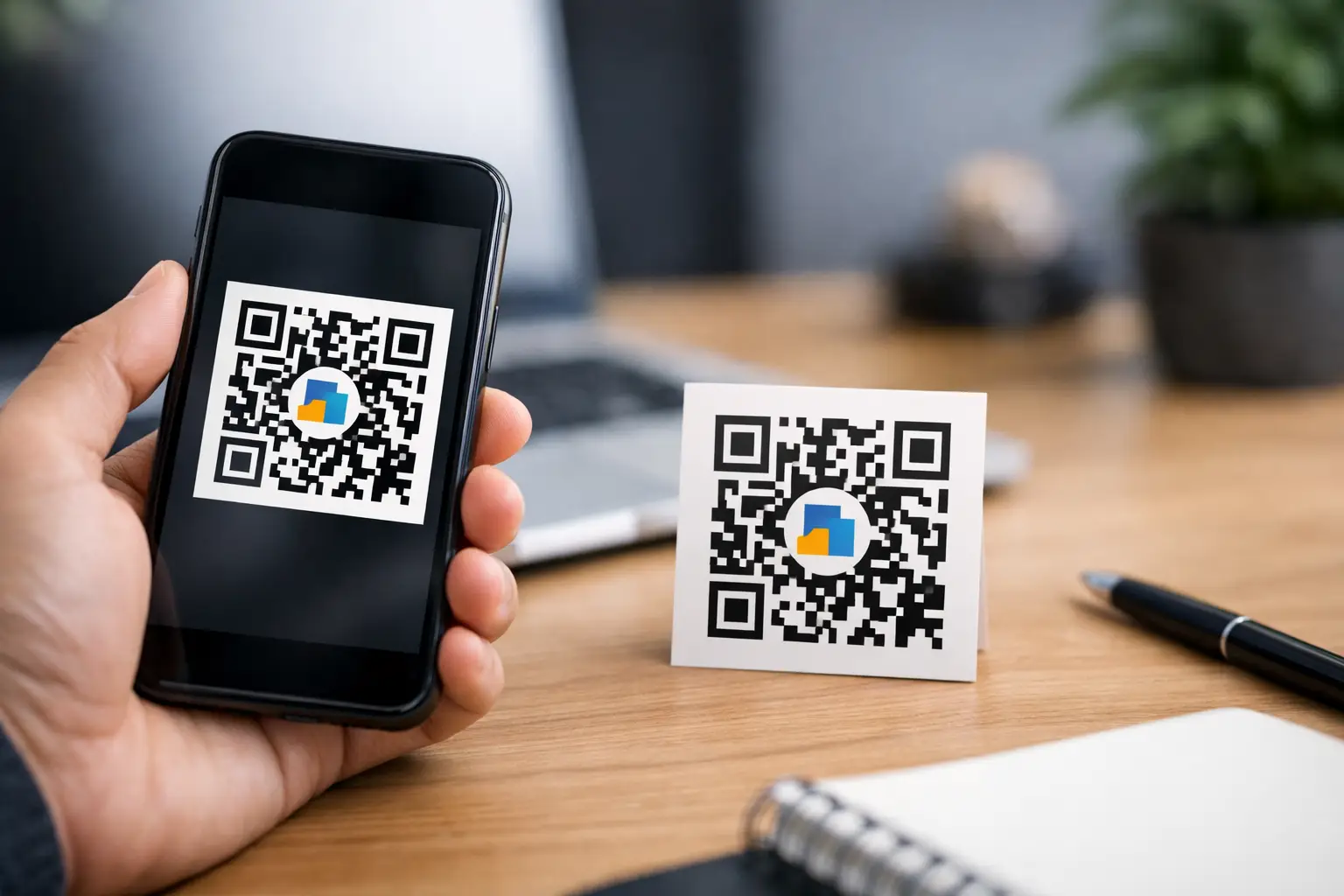
Free Static QR Code Generator With Logo
Input
A plain black-and-white QR code gets the job done. A branded one gets remembered.
If you need a free static QR code generator with logo, you’re usually trying to solve two problems at once: make the code scan reliably, and make it look like it belongs on your brand materials. That matters whether you’re printing table tents for a cafe, adding a code to product packaging, placing one on a real estate flyer, or putting a digital business card on your conference badge.
Why a logo on a static QR code matters
A logo changes how people read the code before they ever scan it. It signals ownership, makes the destination feel more trustworthy, and helps the code look intentional instead of generic. On a business card, brochure, menu, or poster, that small visual cue can make the difference between “What is this?” and “I know where this goes.”
Static QR codes are especially useful when the content will not need to change after you create it. If you’re linking to a website URL, Wi-Fi credentials, contact info, phone number, email address, SMS action, map location, app page, or plain text that is unlikely to be updated, static is often the fastest option. It’s simple, immediate, and easy to deploy.
The trade-off is straightforward. Once a static QR code is created, its destination is fixed. If you print 5,000 flyers and later need to change the link, you’ll need a new code. That’s why static works best for stable information, while dynamic QR codes make more sense for campaigns, rotating offers, event updates, or anything you may want to edit later.
What to look for in a free static QR code generator with logo
Not every generator handles branded QR codes well. Some let you upload a logo but limit customization. Others offer design controls that look good on screen but hurt scan performance in real-world use.
A solid tool should let you add a logo without forcing you into a complicated setup. It should also support practical styling choices like color changes, frame options, and multiple export formats for both print and digital use. If you’re creating assets for posters, menus, labels, packaging, or in-store signage, export flexibility matters just as much as the QR design itself.
You also want a generator that does not bury the basics behind account creation or surprise restrictions. For many users, the value of a free static QR tool is speed. Open it, choose the content type, customize the look, export the file, and move on.
That’s where platforms like QRDrobe fit well. The focus is not on making you learn a system. It’s on helping you create usable, branded QR codes quickly, with the option to step into dynamic functionality later if your needs grow.
How to create a branded static QR code that still scans well
The best-looking QR code is the one that scans on the first try. Branding should support that, not compete with it.
Start with the right content type. A URL is common, but static QR codes can also handle contact details, Wi-Fi access, email actions, SMS messages, phone calls, maps, social profiles, donations, and app download links. Choosing the correct format from the beginning keeps the experience cleaner for the person scanning it.
Next, upload a logo that is simple and recognizable. A compact mark usually works better than a detailed badge or text-heavy image. The QR code needs enough visual clarity to remain readable, so the logo should enhance the center rather than dominate it.
Color is where many users overdo it. Brand colors are useful, but contrast comes first. A dark foreground on a light background is still the safest choice. Light gray on white may fit your aesthetic, but it can fail under poor lighting, glossy print, or low-quality phone cameras. If your QR code is meant for public use, test it in ordinary conditions, not just on a bright desktop monitor.
Size matters too. On packaging or small labels, a highly customized QR with a centered logo may need more room than a basic square code. If you reduce it too far, scan reliability drops. For print, it’s smart to test at actual physical size before sending files to production.
When static is the right choice and when it isn’t
A free static QR code generator with logo is ideal when speed and permanence matter more than post-launch editing. If you’re adding a QR code to a storefront sign with your homepage, putting Wi-Fi details on a reception desk, printing contact information on a leave-behind card, or creating a code for a fixed map location, static is efficient and cost-effective.
It becomes less ideal when the destination might change. Restaurant menus get updated. Event pages shift. Marketing campaigns expire. Real estate and vehicle listings move fast. In those cases, a dynamic QR code gives you breathing room because you can update the destination without reprinting the code.
That doesn’t make static the lesser option. It just means the right choice depends on how stable the underlying information is. For plenty of business and personal use cases, static is exactly what you need.
Best use cases for a logo QR code
Branded static QR codes work especially well when the code appears in a customer-facing environment and needs to feel like part of the design.
For small businesses, that might mean menus, countertop displays, loyalty prompts, review requests, or quick-pay donation cards. For professionals, it often means digital business cards, resumes, portfolio links, or conference materials. Retailers may use them on shelf tags, packaging inserts, product instructions, or window signage. Event organizers can place them on badges, schedules, posters, and welcome signs.
The logo is doing quiet work in all of these cases. It helps the code look less like a random utility box and more like a branded call to action.
Common mistakes that hurt performance
Most QR code problems come from design choices, not the QR format itself. A logo that is too large can interfere with readability. Busy backgrounds can make edge detection harder. Low contrast reduces scan success. Exporting a small image file and then stretching it for print often leads to soft edges and unreliable results.
Placement can also work against you. A code tucked into a fold, wrapped around curved packaging, or printed behind reflective laminate may be technically correct and still frustrating to scan. The same applies to placing codes too high, too low, or too far away from where people naturally pause.
The fix is simple: create the code with the final environment in mind. If it will live on a poster, test it from poster distance. If it will be scanned from a product label, test it on the actual material. If it will appear on a phone screen for another phone to scan, check brightness and size.
Choosing a tool that keeps things simple
For most users, the best generator is not the one with the longest feature list. It’s the one that helps you create a clean, branded, export-ready code without friction.
That means no forced sign-up just to test an idea. No confusing setup for basic content types. No guesswork about whether the output can be used in print. And no pressure to upgrade just to make the code look professional.
A useful free static QR code generator with logo should feel like a practical asset builder. You choose the content, apply your brand, export the format you need, and put it to work. If you later need editable destinations or scan tracking, that’s when dynamic tools enter the picture.
A good QR code does not need to be flashy. It needs to be clear, branded, and easy to scan wherever your audience finds it. If your code can do that while matching your materials and taking five minutes to create, it’s already doing the job well.