
A dynamic QR code is a scannable code that links to a web page that can be changed unlike static QR codes, which mean the code is stuck pointing to the one web address forever. The thing about a dynamic QR code is that whatever is behind it can be altered at any time, even when it's printed on the side of a poster, packaging or your business card! This means that if you print and sticker something incorrectly you've only messed up once and the customer has a broken link-you fix that page and the customer gets to the right place when they scan the same sticker! This makes it the difference between a business owner/marketer/event organizer being stuck with and unfixable error versus having an ever-adaptable campaign on their hands!
The real power behind a dynamic QR code is that they are trackable. You can see with the QR code's data that people are scanning it, not only that, you get to see when and where they're scanning it too. This allows you to tell what kinds of campaigns you're creating that resonate with your audience, and you can mold the content of thatQR code accordingly.
With static codes, you don't even know if people are scanning them!
With dynamic QR codes, you're not just printing a square you're installing a direct, measurable channel to your customers.
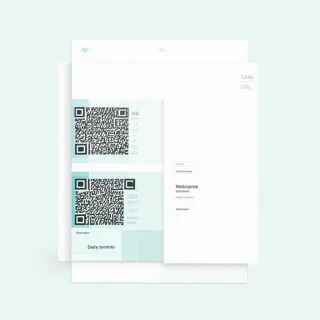
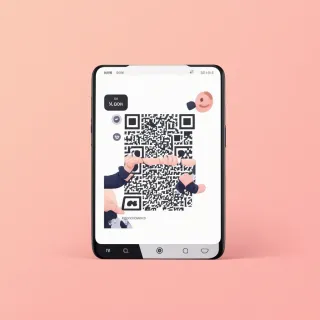
Here's how it works in reality. You design a dynamic QR code like the template QRDrobe'Generic' DYNAMIC QR template. This template is essentially a mobile landing page ('card') that includes one cover image, a heading, and a description.
These three fields can all be updated whenever you like.
For example, if a restaurant printed the QRDrobe'Generic' DYNAMIC QR template on the side of a card on each table and their weekly specials changed. The owner would get on the QRDrobe app to change the [text] heading field and the [textarea] description field of the QR code. The customer looking at the table doesn't notice a thing, the QR code is still the same, yet they get current information. No reprints, no waste, no frustration.
So who can use dynamic QR codes, you might wonder?
Marketers running seasonal campaigns! Those people can keep the sameQRcode on the wall year after year, updating the cover photo and description annually to reflect the seasonal deals.
Event planners can print QR codes on flyers or posters to send people to event pages with specific times, directions, and ticket purchase links; if the venue happens to change, the event planner will simply change that landing page on QRDrobe and the guests who have the original flyer with theQRcode will still end up in the right place.
Small business owners, who enjoy testing the waters will be pleased to be able to test out offering a 20% off sale on the cover and a few weeks later a free gift on the cover to see which one gets more scans! The main thing is thatdynamic QR codes should be thought of as a live channel instead of a dead link.
One of the most common mistakes people make when they get their dynamic QR code is that they stick it to their packaging or their business cards and assume that's it. It's not! Be sure to check in on your scan statistics every month or so and see if scans are lagging, and then update your QR code's contents!
Perhaps the picture needs to be something more engaging, perhaps the title needs to be a call to action that's more compelling.
The other big mistake is making the page overly complicated! The template includes just one photo, one title, and one description. Anything beyond this doesn't necessarily add more value, or improve upon the results, it just detracts from what the customer is trying to accomplish-get their 20% discount, their free gift, or in-person directions! Keep it simple and mobile-friendly because most of the QR code scans will be done on a mobile device!
By using a dynamic QR code, you not only avoid the cost of constant reprinting, you increase your agility as well. You can tailor your content to changing trends, correct mistakes as they happen, and ultimately track what it is that your customers connect with! For any and every person who puts a QR code on anything - flyers, packaging, cards, signage, menus, whatever it might be - switching to a dynamic QR code is a game-changer, turning something staticky into a streamlined, high-performing channel.