
Murder Mystery Party RSVP: Dynamic QR Invites That Assign Characters

For a murder mystery party RSVP that pulls your guests into the plot, you need more than a text message. QRDrobe’s free Event template turns a simple QR scan into an immersive character reveal—with the date, time, location, and a hidden RSVP link that feels like accepting a mission.

Free dynamic QR code

Make your own in minutes

Create a mobile page, update it anytime without reprinting, and track every scan.

Create your free QR code →

No credit card needed • Set up in under 5 minutes

Why Your Murder Mystery Party RSVP Needs a Dynamic QR Invite

Your Invite Is a Dossier

Your Invite Is a Dossier

Set the cover image to a moody character portrait and use the description field to reveal their secret identity and a cryptic hint about the plot. Guests scan the QR on their paper invite and step straight into the story—no app download, just instant immersion.

Track Every RSVP

Track Every RSVP

Link the Event Link URL to your RSVP form and watch as each scan appears in your QRDrobe dashboard. You’ll know exactly who’s coming, when they opened the invite, and who still needs a nudge—no more guessing with paper mail.

Update Clues Last-Minute

Update Clues Last-Minute

Did a guest drop out or a new suspect emerge? Edit the event name, subheading, or description right in the app, and the printed QR automatically shows the fresh info. No reprinting, no frantic texts—the mystery adapts with you.

Tease Through Social

Tease Through Social

Add social media links that point to a private group or a public post with red herring clues, costume previews, or a cryptic countdown. Each scan becomes a breadcrumb that deepens the plot long before the dinner bell rings.

What to Put in a Murder Mystery Invitation (and How to Make It Feel Like a Secret Briefing)

Your murder mystery party RSVP isn’t just a logistics form—it’s the first chapter of your story. When guests scan the QR code from a printed save-the-date or physical invitation, the landing page should feel like a confidential dossier. Start with a cryptic Event Name (like “The Last Gasp at Gadsby Manor”) and add a Subheading that piques curiosity: “You’re cordially invited… to a crime.” The Description field is where you’ll drop just enough intrigue—mention the occasion (a 1920s speakeasy, a billionaire’s will reading), the stakes (“one of you won’t make it to dessert”), and a request for each guest’s alibi or costume. Tuck the date, time, and location into the Start, End, and Address fields so the details are clear but not front-and-center; the mystery comes first. And because the QR code is dynamic, you can tweak the wording later if anyone needs an extra nudge, without reprinting a thing.

Plenty of hosts think you need an expensive kit to assign characters, but your invitation can do the heavy lifting. In the Description area, write a single, juicy paragraph that gives each guest a distinct role—no complicated dossiers required. For example: “Clara, you’ll be the disgruntled niece with a very public motive. Mark, the quiet accountant who knows where the bodies are buried.” The Cover Image sets the visual mood, so choose an old family portrait, a dimly lit study, or a vintage telegram. That one picture, combined with the Event Name, tells guests the era and tone instantly. If you want to take it a step further, hook the Event Link URL up to an RSVP form that asks a role-related question: “What’s your alibi for the night of the 14th?” Label that button something irresistible with the Event Link Label, like “Seal Your Fate” or “Accept the Assignment.” It turns a routine check-in into part of the game, and you’ll get a laundry list of hilarious, in-character replies right off the bat.

Timing is everything when you’re building suspense. Send the physical invitation or save-the-date with the QR code three to four weeks out—enough time for guests to craft costumes but not so early they forget. The beauty of a dynamic QR card is that you can layer in fresh hints as the date approaches: a week before, update the Description with a new clue (“The study door was found ajar this morning…”), or swap the Cover Image to a more ominous shot. A final nudge two days before might reveal one more detail—“Everyone’s favorite candlestick has gone missing”—right before they scan to get the address again. And since you’re tracking scans, you’ll know exactly who’s engaged and who might need a direct text. No static paper invite can give you that kind of flexibility.

Food pairings that match your theme do more than feed guests; they plant clues. Lean into the era or setting: for a 1920s gangster murder, serve ‘bathtub gin’ cocktails and deviled eggs with a dusting of paprika that looks suspiciously like a crime scene. A Victorian affair might call for dark berry tarts and a sherry that hums with secrets. You can weave these into the Description field subtly—“Dinner will feature a five-course meal, including a dessert that bears witness to the evening’s unfortunate events”—so the menu itself becomes part of the narrative. Don’t overcomplicate it; a couple of themed bites and a signature drink named after the victim make the night memorable without turning you into a full-time caterer. And if someone asks for dietary restrictions, you can always slip a quick edit into the card’s text from the app.

A common misstep is giving away the plot too soon. Keep the Description field mysterious; don’t explain how the murder happens. Write it like a telegram from a nervous informant: “The gathering is not as it seems. Trust no one.” Another pitfall: forgetting to test the RSVP link. Before anyone scans, tap that Event Link URL yourself and make sure it leads to a working form. Set the form to close at a reasonable deadline so you aren’t scrambling for headcounts. Finally, use the Social Media Links field if you have a private event page or a Pinterest board for costume inspiration—it’s a handy way to keep the vibe cohesive without a million group texts. With these pieces in place, your murder mystery party RSVP becomes less of a chore and more of a pulse-raising prelude, all tied together by a single, long-lasting QR code that evolves as your plot thickens.
How to Set Up Your Murder Mystery Party RSVP in QRDrobe (Field by Field)

  1. Step 1

    Set a noir cover image

    Upload a moody photo to the Cover Image field—think shadowy silhouettes, vintage magnifying glasses, or a dimly lit dinner table. This is the first thing guests see when they scan, so make it instantly pull them into the intrigue.

  2. Step 2

    Name your case

    In the required Event Name field, give your party a title like 'The Midnight Masquerade Homicide' or 'Poison at the Vicar's Table.' It sets the tone and teases the crime they’ll solve.

  3. Step 3

    Add a tagline

    Use the Subheading field for a quick hook right under the title—something like 'Dress sharp, lie better' or 'One guest will play dead. The rest? Suspects.' It’s a wink that gets people curious before they read the details.

  4. Step 4

    Link your sleuthing resources

    In Social Media Links, you can add buttons that point guests to character playlists, evidence boards, or a Pinterest page full of costume ideas. Each link gets a custom label, so you might name one 'Suspect List' and another 'Crime Scene Photos.'

  5. Step 5

    Add the RSVP form

    Drop your RSVP collection link into the Event Link URL field—whether it’s a Google Form, Paperless Post, or your own site. Then set the Event Link Label to something inviting, like 'Accept Your Invitation' or 'Claim Your Alibi.' It’ll appear as a standout button on the card.

  6. Step 6

    Pin down the when and where

    Enter the Start and End times so guests know exactly when the mystery begins and (hopefully) ends. Then fill in the Address with the dinner location—add a line about the secret entrance or where to park, so nobody wanders off before the first clue is dropped.

  7. Step 7

    Write the backstory and character hints

    In the required Description field, paint a vivid scene: who the victim might be, why everyone’s a suspect, and a tiny, tantalizing hint about each guest’s secret identity. Keep it brief but dripping with atmosphere—enough that scanning the code feels like opening their personal case file.

Clever Ways to Reveal Character Assignments Through the QR Invitation

Turn the simple act of RSVPing into a covert operation. These four tactics use the QRDrobe template to slyly assign characters and build anticipation before anyone arrives.

Drop character clues in the Description

Drop character clues in the Description

Start the Description with a line like ‘You are Countess Lucrezia, last seen holding a wineglass in the library…’ then weave in a small, suspicious detail. Half the fun is watching guests piece together who they are before the night even starts.

Pair the QR with an evidence bag

Pair the QR with an evidence bag

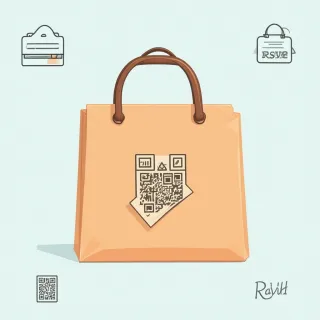
Print the QR code on a sticky label and affix it to a brown paper bag containing a fake clue or prop. In the Description field, add ‘Scan to inspect your evidence—then RSVP to confirm your alibi.’ It gives guests a tactile first taste of the intrigue.

Reveal updates without reprinting

Reveal updates without reprinting

After guests RSVP, quietly edit the same QR’s landing page. Replace the Description with a new message like ‘Your role is the Butler—check your evidence bag again’ or share last-minute weather, dress code, or a secret handshake. The printed QR code stays the same, so no one needs a new invite.

Use the Cover Image as a hidden cipher

Use the Cover Image as a hidden cipher

Set the Cover Image to a cryptic photo—a close-up of a monogrammed handkerchief, a torn ticket stub, or the dog with a muddy paw. Only guests who scan will see the image, giving them a subtle visual hint that ties directly to their character’s secret.

Murder Mystery Party RSVP: Frequently Asked Questions

Yes—use the Description field as a character dossier. Write a short secret identity and a hint about the night’s plot right in the invitation. If you want to go deeper, set the Event Link URL to a page or doc with full character sheets and costume suggestions.