Happy Fourth of July! Happy Independence Day! Celebrating American freedom.

QR Code for Speaker Bio: Your Digital One-Sheet

A speaker bio QR code puts your best self in an attendee's pocket with a single scan. You get a sleek digital business card—photo, bio, social links, contact—that's always up-to-date, even after the conference ends. No paper, no apps for them to install, just a camera tap.

Free dynamic QR code

Make your own in minutes

Create a mobile page, update it anytime without reprinting, and track every scan.

Create your free QR code →

No credit card needed • Set up in under 5 minutes

How a single QR code can replace your entire speaker one-sheet

You know the drill: you print a hundred glossy one-sheets for your next conference, haul them through the airport, and by the end of the day, half are crumpled in the trash and the other half are lost in someone's bag, never to be seen again. Not to mention the cost and the waste. A QR code for speaker bio flips that on its head. Instead of a paper handoff, you put a single dynamic QR code on your slide deck, your name badge, or even a lanyard insert. Attendees scan it, and boom—your entire speaker one-sheet appears on their phone, complete with your photo, talk topics, and booking contact. No paper waste, no forgotten handouts, just one scan at the podium that does it all.

With QRDrobe's Professional Profile template, that mobile page is anything but basic. Start with the Cover Image to set the mood—maybe your logo or a shot from your keynote. The Profile Photo puts a friendly face right at the top, so people connect the speaker to the scan. Your Name is required, front and centre, and a crisp Subheading tells them your focus at a glance, like “Keynote Speaker on Leadership” or “Workshop Facilitator.” Beneath that, Social Media Links sit as clickable icons, so a single tap takes them to your LinkedIn, Twitter, or Instagram. Need to give them a direct line? Add your Phone and Email fields. The Address and Website fields anchor your professional presence, while the Description lets you expand on your bio, highlight upcoming talks, or drop in specific topics they can book you for. It all stacks into one clean, thumb-friendly page that replaces every piece of paper you used to carry.

The real magic, though, is that the QR code is dynamic. That means the printed code on your badge or slide stays the same, but you can log into QRDrobe anytime and tweak what's behind it. Got a new talk to promote? Update the Description field. Changed your number or added a booking email? Those Phone and Email spots refresh instantly. The code keeps working, no reprints, no sticky labels slapped over old ones. Even after the conference, you can pivot the page to general networking without touching the code—just edit and go. It's your one-sheet without the expiry date, always up to date for every new room you walk into.

You'll get the most out of this if you think beyond the podium. Drop the QR code onto a slide at the end of your talk, with a quick verbal cue: “Scan this for my full bio and direct booking link.” Print a small sticker on your badge holder so hallway conversations turn into instant connections. One common pitfall speakers make is going with a static QR code that points to a link they can't change later—once that URL is dead, so is the code. A dynamic QR like QRDrobe's keeps you in control long after the applause dies down. And because the template works on any device, attendees can save your details as a contact or bookmark the page with a couple of taps—no typing, no business cards to misplace.

This isn't just for seasoned keynoters. Workshop leaders, panelists, and first-time presenters all get the same benefit: a QR code for speaker bio that makes you look effortless and prepared. It cuts through the noise of networking, reduces your carbon footprint, and tells audiences you're thinking practically about their experience. So next time you're prepping for a gig, skip the print shop. Put your one-sheet into a QRDrobe Professional Profile, generate that dynamic code, and let one scan do the heavy lifting—from bio to booking, right there at the podium.

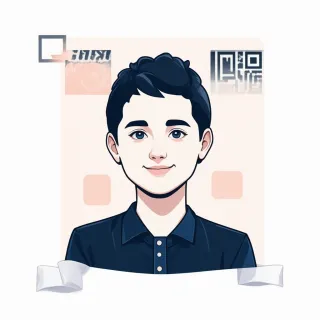
How to fill out your speaker bio QR code (field by field)

  1. Step 1

    Set your cover photo

    Use the Cover Image field [coverImage] to upload a photo that grabs attention right away—a shot of you on stage, a keynote moment, or even your book cover. It sits at the top of the card and sets the vibe before anyone reads a word.

  2. Step 2

    Pick a profile shot or logo

    In the Profile Photo field [logoImage], add a friendly headshot or your speaking logo. This is the first face people see, so choose something that feels approachable and professional—like you’re about to walk on stage.

  3. Step 3

    Fill in your name and tagline

    Name [text] is required, so use your full name exactly as you’d introduce yourself from the podium. Then drop your speaker title, one-liner, or topic into Subheading [text]—think “Resilience Keynote Speaker” or “Helping Teams Embrace Change.”

  4. Step 4

    Add your social media links

    Under Social Media Links [dynamicLinks], plug in the platforms where event planners and fans can follow you—LinkedIn, Twitter, YouTube, and a link to your speaker reel all work great. Drag to reorder them so your best clip or main profile sits at the top.

  5. Step 5

    Include direct booking contact info

    Enter your Phone [text] and Email [email] exactly as you want bookers to reach you—this is your fast track for inquiries. For Address [text], list your office or virtual headquarters (even just your city) to show you’re established and reachable.

  6. Step 6

    Link to your speaker website

    In the Website field [url], point to your speaker page, agent profile, or personal site. Make sure it’s loaded with your current talk topics, testimonials, and a clear way to contact you—this is where a scan turns into a booking.

  7. Step 7

    Write your speaker bio

    Use the Description field [textarea] for your bio paragraph. Keep it warm and tailored to the audience: who you are, what you speak about, and why a group would want you on stage. Two or three sentences can do the job, and you can update it anytime without reprinting your QR code.

5 clever places to put your speaker QR code (beyond the business card)

You’ve already got a slick digital business card. Now take that dynamic QR code and tuck it into places where handshakes and paper just can’t reach — here are five spots that’ll have attendees scanning your bio before they even leave their seats.

Your closing slide

Your closing slide

Swap the boring “Thank you” slide for a full-screen QR code tied to your Profile Photo and Description fields. Update the landing page to say “Scan to book me for your next event” and point your Website link straight to your booking calendar. By the time you’re off stage, they’ve already got your talk topics and contact info in their pocket.

Badge ribbon or sticker

Badge ribbon or sticker

Print a small QR code sticker and slap it on your conference badge ribbon — right under your name. When someone you met at the networking lounge scans it, they land on a page built just for the event: your Subheading says “Workshop Leader,” and your Social Media Links are queued up for instant follows. No fumbling for business cards, just a quick scan and a real connection.

Email signature, reimagined

Email signature, reimagined

Forget the static vCard attachment. Embed your QR code in your follow‑up email signature and, because it’s dynamic, you can quietly update the page behind it later. Right after the conference, the Description thanks them for stopping by; a month later, it highlights your new speaking reel — all with the same scanned code. Your Email and Phone stay front and center if they want to reach out directly.

Table tent at your workshop

Table tent at your workshop

Set a small QR code on a folded card at each seat. Attendees scan it to pull up your Profile Photo, a Description that acts as a session cheat sheet, and your Social Media Links so they can tag you in posts. Edit the Subheading live to say “Download today’s slides” and swap the URL to a shared drive — no need to reprint anything.

Postcard thank-you

Postcard thank-you

Mail a handwritten-style postcard to VIP attendees with a QR code printed on the back. When they scan it, they’re greeted by your Name and a personal note tucked into the Description field: “So glad we connected — here’s my direct booking line.” Your Phone and Email are right there, turning a piece of snail mail into an instant re-booking tool.

Why your speaker bio needs to be dynamic, not static

Edits Without Reprints

Edits Without Reprints

Your printed speaker one-sheet isn't stuck in time. Change your bio, update talk topics, or swap booking links right in the app, and that same QR code on your handout keeps working. No reprinting costs, no awkward old URLs.

Track Every Scan

Track Every Scan

After your session, you'll see exactly how many people scanned your code—no guesswork. Watch interest spike when you mention the QR at the podium, and follow up with warm leads who already read your bio.

Your Brand Only

Your Brand Only

Your landing page looks fully yours, not a billboard for some QR company. No third-party logos clutter your speaker card on the free plan, so attendees focus on your face and your message, not noise.

Start for Free

Start for Free

Set up your speaker card in minutes with no credit card. You'll get a dynamic QR code that tracks scans and stays clean—and if you ever want advanced analytics or custom domains, you can upgrade then, pressure-free.

QR code for speaker bio: your questions answered

You can create one in minutes with QRDrobe's Professional Profile template. Sign up in the app, pick the template, and drop your bio into the Description field, add your photo and contact details. The dynamic QR code stays live even when you update your info later, and you can track every scan.