When a senior with dementia wanders, every second matters. You've probably rehearsed worst-case scenarios in your head: Will someone find them? Will that person know who to call? A dementia wandering qr code acts as a digital safety net, giving first responders instant access to your loved one's photo, your contact info, and medical details—all from a single scan. Because it's a dynamic QR code from QRDrobe, you can update the information anytime without printing a new tag. So if you change your phone number, add a medication, or want to include a note like "she responds better to a calm voice," the same worn bracelet or keychain stays current.
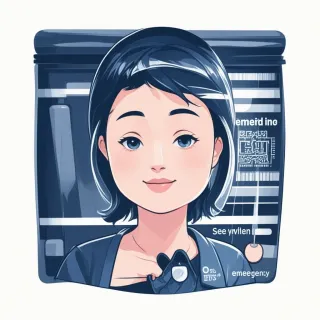
Take a look at the live example to see exactly what a first responder sees. They tap or scan the code, and a mobile-friendly card pops up with everything they need: a clear photo of the person (coverImage), their full name, and your Primary Contact Name and Phone right at the top. Scrolling down reveals Secondary Contact details, an Address field, Blood Type, and sections for Medical Notes, Allergies, Medications, Conditions, and Important Notes. No app download, no fumbling through a wallet—just a clean, readable page that loads in seconds. And unlike a static medical ID bracelet, you're not locked into what you printed months ago. Forgot to list the new blood thinner? Log into QRDrobe, type it in, and the next scan shows the update.
That dynamic part is what makes the QRDrobe template more reliable than etched or printed IDs. A static card with a list of allergies from last year could do more harm than good if things have changed. With this template, you can also track scans—QRDrobe quietly logs each time the code is accessed, so you'll know if someone used it and when. It's free to start, so you lose nothing by setting one up. Just sign up in the app, pick the Emergency Info template, and you're on your way.
Filling it out wisely makes the difference. Upload a recent, well-lit photo (coverImage) where the person's face is clearly recognizable—avoid sunglasses or hats that cast shadows. The Full Name, Primary Contact Name, and Primary Contact Phone are required; fill the Secondary Contact fields even if you hope they're never needed, because networks fail. In the Medical Notes, be concrete: "pacemaker, left upper chest" or "often says she's going to the old house on Maple Street." Under Allergies, list medications, foods, and latex if applicable. Use the Conditions field for diagnoses like Alzheimer's, diabetes, or hypertension. And the Important Notes section is your place for quick behavioral cues: "will not accept help from men" or "believes her cat is still alive—don't contradict." The Address field can be especially helpful if wandering happens close to home, so they can be returned even if they can't speak. The number one mistake caregivers make is being vague; every "just in case" detail gives first responders a protocol to follow.
You can attach the dynamic QR code to almost anything—a silicone bracelet, a shoe tag, a lanyard, or a laminated card threaded onto a walker. The visual reminder of wearing an ID often brings comfort to families, and the code itself becomes a bridge between a confusing moment and a safe reunion. No drama, no delay, just the right information in the hands of the person who needs it.