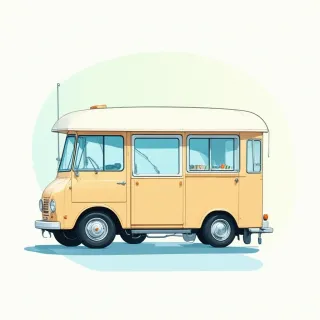
Where Is the Food Truck Today? Your Dynamic QR Page

You scan the QR code on the side of the truck, and instantly a page opens showing exactly where they're parked right now, plus today's hours and contact details. No more chasing Facebook posts or hoping their Instagram story is current — the same code keeps working day after day.

Free dynamic QR code

Make your own in minutes

Create a mobile page, update it anytime without reprinting, and track every scan.

Create your free QR code →

No credit card needed • Set up in under 5 minutes

How to always know where the food truck is parked (without chasing social media)

If you run a food truck, you’ve heard it a hundred times: “Where are you guys today?” Maybe it’s on Instagram DMs, a Facebook comment, or a confused customer circling the block. You try to post your location everywhere—stories, tweets, your website—but by the time you’ve updated three platforms, lunch rush is over and the details are scattered. For your regulars, finding you can feel like a scavenger hunt. That’s exactly the daily grind a dynamic QR code page can solve, using QRDrobe’s Business Page template.

Here’s how it works: you print one small QR code sticker—on your truck, a sidewalk sign, or a loyalty card. That code is dynamic, so it always lands on the same mobile link. Behind it, you’ve set up a QRDrobe Business Page that holds your business name, logo, cover photo, and all the details that matter today. When a customer scans it while walking by or from their saved photo, they instantly see a clean mobile card with your truck’s current address, today’s working hours, and a quick description of what’s on the menu. No more refreshing three social feeds. They get the answer to “where is the food truck today” before they even have to type the question.

For the owner, updating this page is dead simple. Open the QRDrobe app, tap your Business Page, and change the fields that shift daily. Hit the Address field and type your cross street—maybe “Corner of 5th & Main, by the park.” Adjust the Working Hours to show you’ll be there from 11 to 3. Then swap the Description to list today’s specials, like “crispy fish tacos & mango agua fresca.” If you want, you can even swap the Cover Image to a fresh photo of the prep. That’s it. The QR code itself stays the same; the printed sticker never expires. And because the page is mobile-first, it loads fast and looks great on any phone, so your customers get the info they need without pinching or scrolling.

You’re not just saving yourself from typing the same answer fifty times—you’re creating a reliable habit for your crowd. Regulars can scan the code once, save the page to their home screen, and tap it anytime they’re hungry. They’ll see your updated location and hours automatically, no scrolling required. Plus, QRDrobe tracks every scan, so you can glance at the numbers and see how many people checked your spot this week. One quick tip: if you park in a high-foot-traffic area, put a QR code on a chalkboard out front. Passersby who aren’t buying right away can scan and save, then find you tomorrow when they’re ready. You’ve just turned a one-time glance into a repeat customer.

No more apologizing for outdated posts or losing a sale because a customer thought you were across town. With one dynamic QR Business Page, you reclaim your time, keep your location crystal clear, and answer that daily “where is the food truck today” with a simple scan. Your whole day’s details live behind one small square—and updating it takes less time than brewing a pot of coffee.
Set up your food truck's location card in 5 minutes — field by field

  1. Step 1

    Snap today’s truck setup

    Upload a fresh photo to the Cover Image field that shows exactly where you’re parked right now, maybe with the day’s specials in frame. This becomes the first thing customers see when they scan — so make it look inviting.

  2. Step 2

    Add your brand stamp

    Drop your logo into the Business Logo field so regulars instantly recognize it, then type your truck’s name into the required Business Name field. This tells them they’ve landed in the right spot, even if you’ve moved.

  3. Step 3

    Write a daily tagline

    In the Subheading field, add a quick line like ‘Parked at the farmers market — bacon jam burgers all day!’ It’s a small touch that makes the card feel alive and specific to today.

  4. Step 4

    Pin your location and open window

    Type today’s cross streets (say ‘3rd & Main, Austin’) in the Address field, and set your open-to-close times in the Working Hours fields. Customers will know exactly where to find you and until when you’re serving.

  5. Step 5

    Make it easy to reach you

    Put your cell or order-ahead number in the Phone field, and add your Instagram and Facebook links under Social Media Links. That way, fans can call or follow you without scrolling through a dozen apps.

  6. Step 6

    Highlight the special

    The required Description field is where you seal the deal. Write something mouthwatering and urgent, like ‘Today only: smoked brisket tacos with chipotle crema — we’re here till 3 or sold out.’

Why a dynamic QR code beats posting 'where we are' on Instagram

No more hunting

No more hunting

Your Instagram story with today's spot gets buried under fresh posts by lunchtime—or worse, the algorithm never shows it to half your followers. A dynamic QR code on your truck always points to your current address and hours, no scrolling required.

Scan and go

Scan and go

Customers just open their phone camera, tap the code on your window, and they've got a map, your hours, and a call button. No digging through a profile, no expired story, no 'wait, which post was it?'

Sticker stays smart

Sticker stays smart

Print that QR sticker once—on your truck, your menu board, even a sidewalk sign. When you park somewhere new tomorrow, you just update the card in QRDrobe. The sticker never changes, but the info always does.

No app, no login

No app, no login

Walk-up customers don't need Instagram, a data-heavy app, or even a follow. Any smartphone camera reads the code and pulls up your spot in seconds—even for someone who just spotted your truck from across the street.

Beyond the daily spot: clever ways food trucks use their editable card

Your QRDrobe card isn't just today's location—it's a canvas you can repaint whenever inspiration strikes. Here are four ways truck owners turn that flexibility into real connection.

Today's special in sight

Today's special in sight

Swap your Cover Image each morning to a sizzling shot of the dish you want flying out the window. A maple-bacon donut burger? A vegan banh mi? Let the photo do the selling before anyone even orders.

Double shift, double spot

Double shift, double spot

Moving to a brewery for the dinner crowd? Update the Address field when you relocate, and keep your regulars in the loop without a single social post. They scan, they see the new cross streets, they follow you there.

Loyalty, one tap away

Loyalty, one tap away

Turn one of your Social Media Links into a digital loyalty card—maybe a free-form URL to a punchcard app or a simple Notion page. Regulars scan, tap, and earn that free taco you've been promising.

Secret's out

Secret's out

Got a new menu item you're testing? Rewrite the Description field to tease it with a backstory—"Our grandmother's mole recipe finally made the truck." People love feeling like insiders, and they'll order just to be part of the story.

Frequently asked questions (especially 'where is the food truck today?')

You scan the QR code on the truck and a mobile page opens with the exact address, updated by the owner. You can bookmark the link to check later. The page also shows the current hours and contact details, and because it’s dynamic the same printed code works every day, no matter where the truck parks.